
Business · Premium system
Freelancer Client OS
The Notion template for freelancers who want clients, projects, time, invoices and finances in one connected workspace.
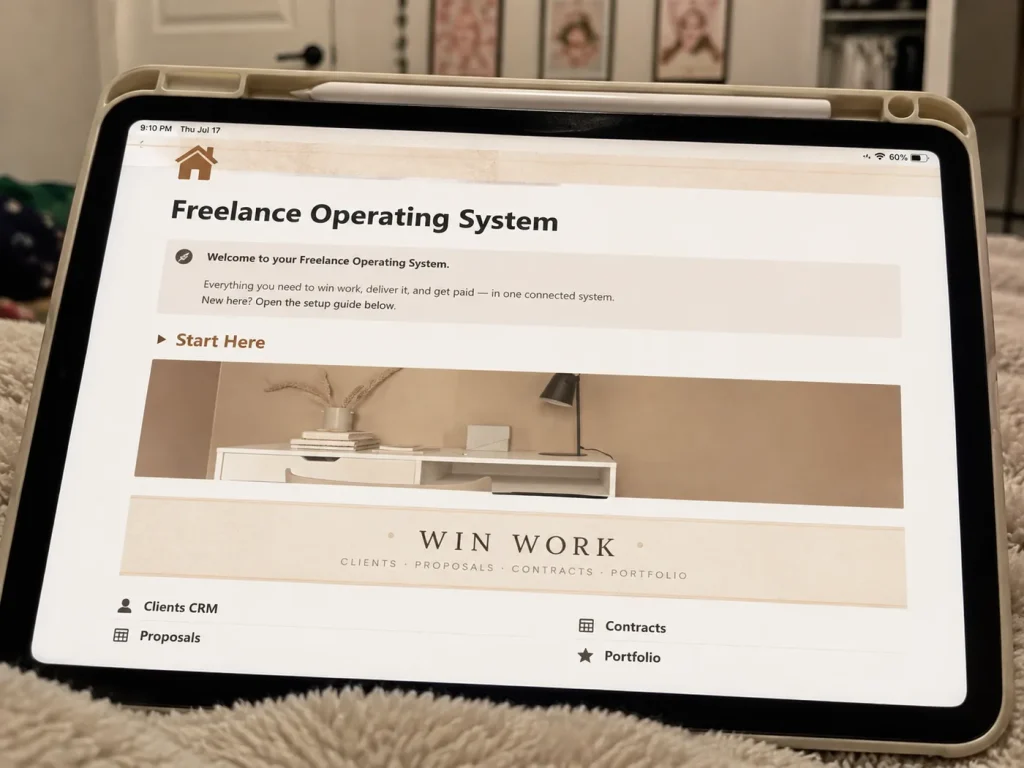
What’s inside this Notion template for freelancers
Leads, clients, projects, deliverables, invoices and a client portal, all linked. Stop juggling five tools and see every client relationship end to end.
- Lead pipeline with stages from first contact to signed
- Client database linked to projects, invoices and notes
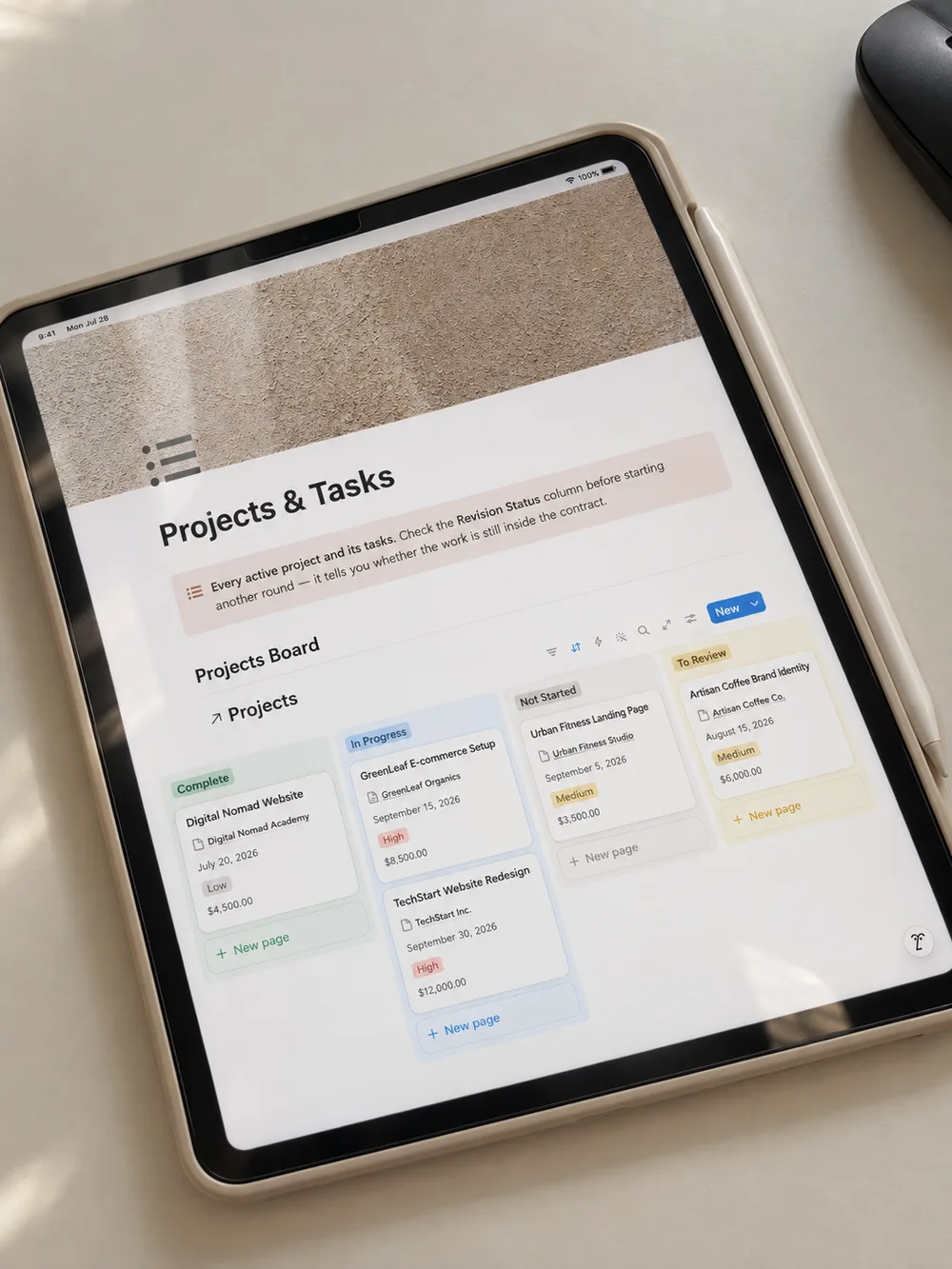
- Project boards with deliverables, deadlines and status rollups
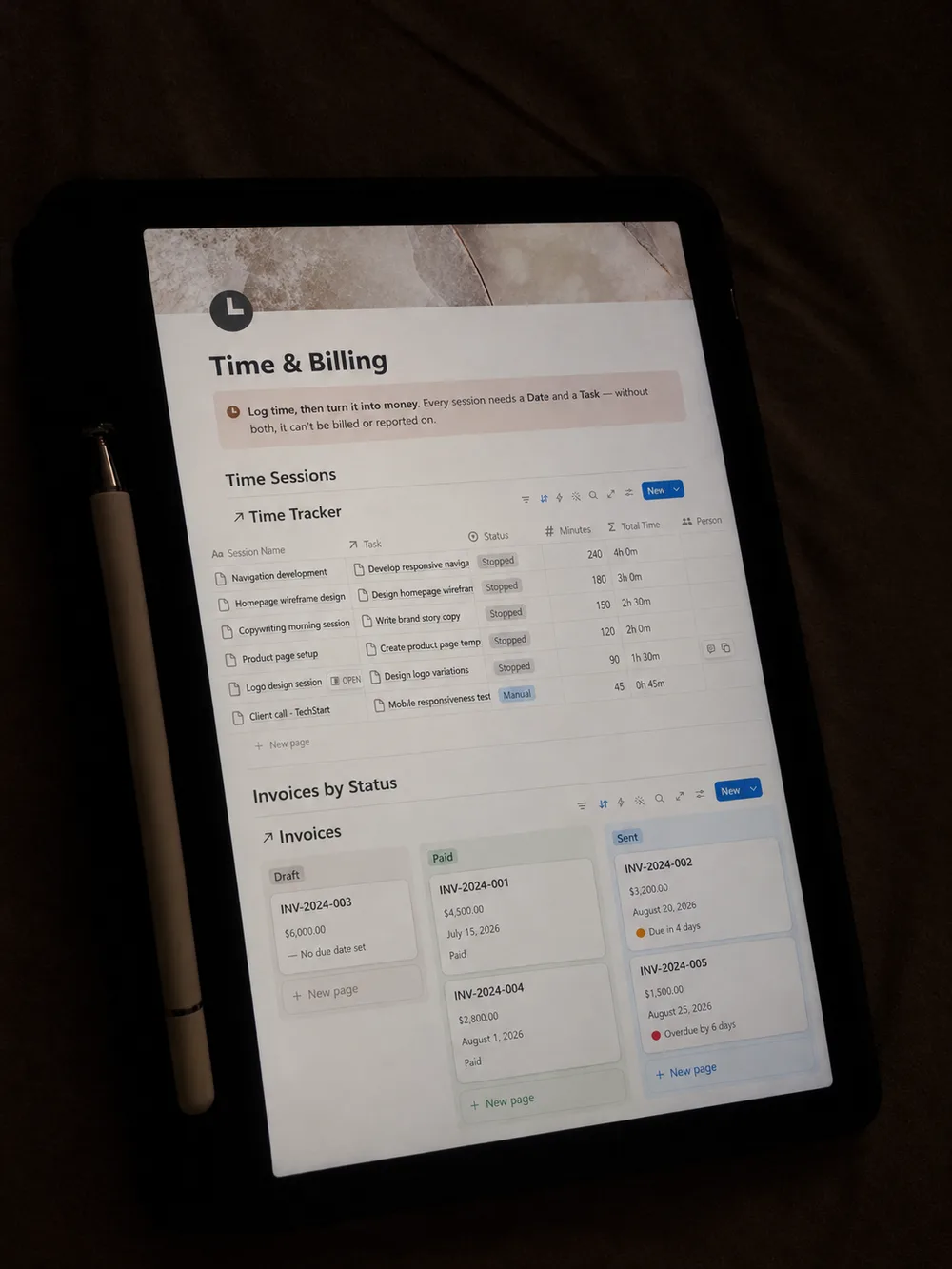
- Invoice tracker with paid, due and overdue views
- Shareable client portal page per client
- Weekly review dashboard: what is due, what is unpaid, what is next
See inside the system
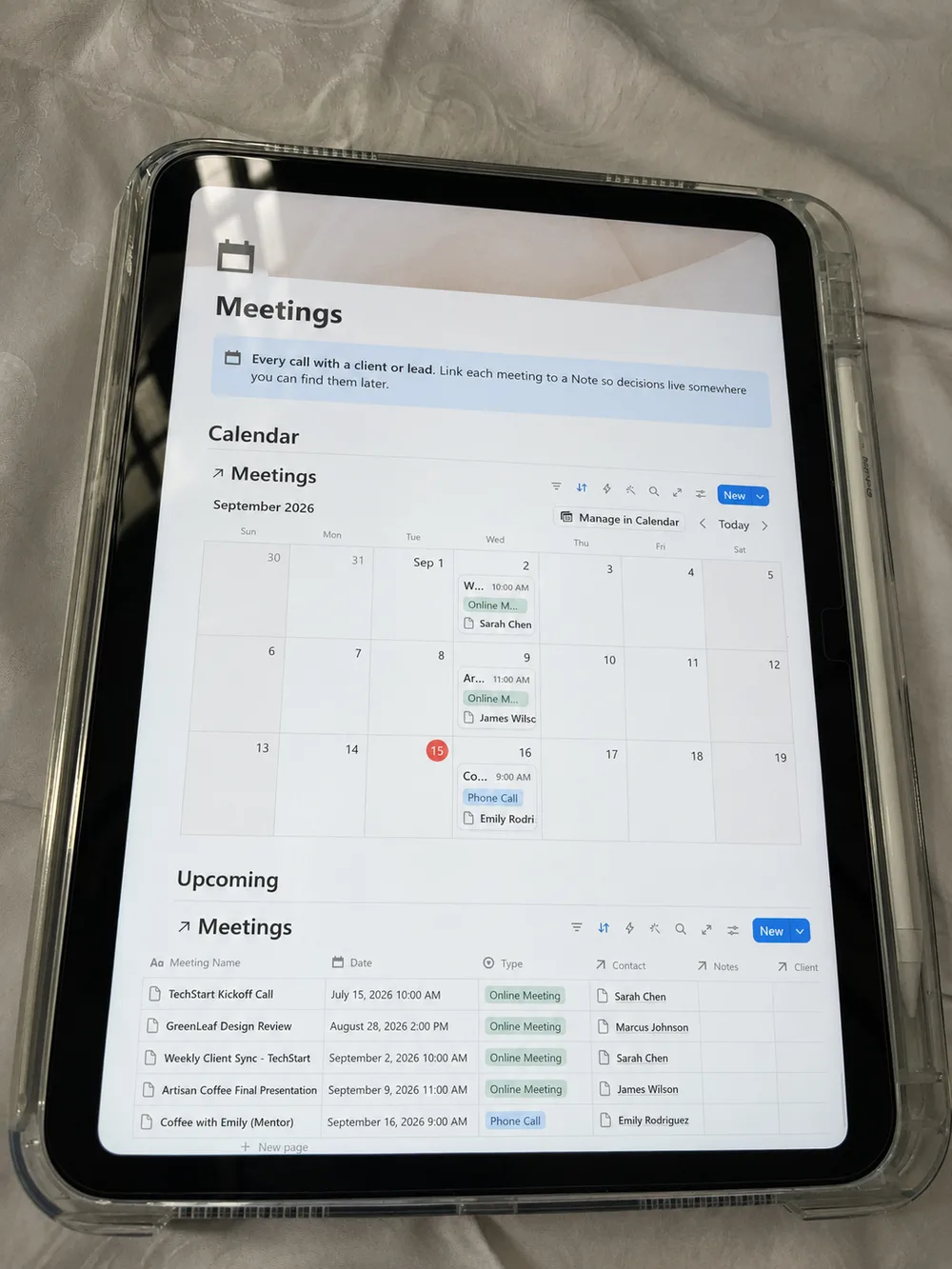
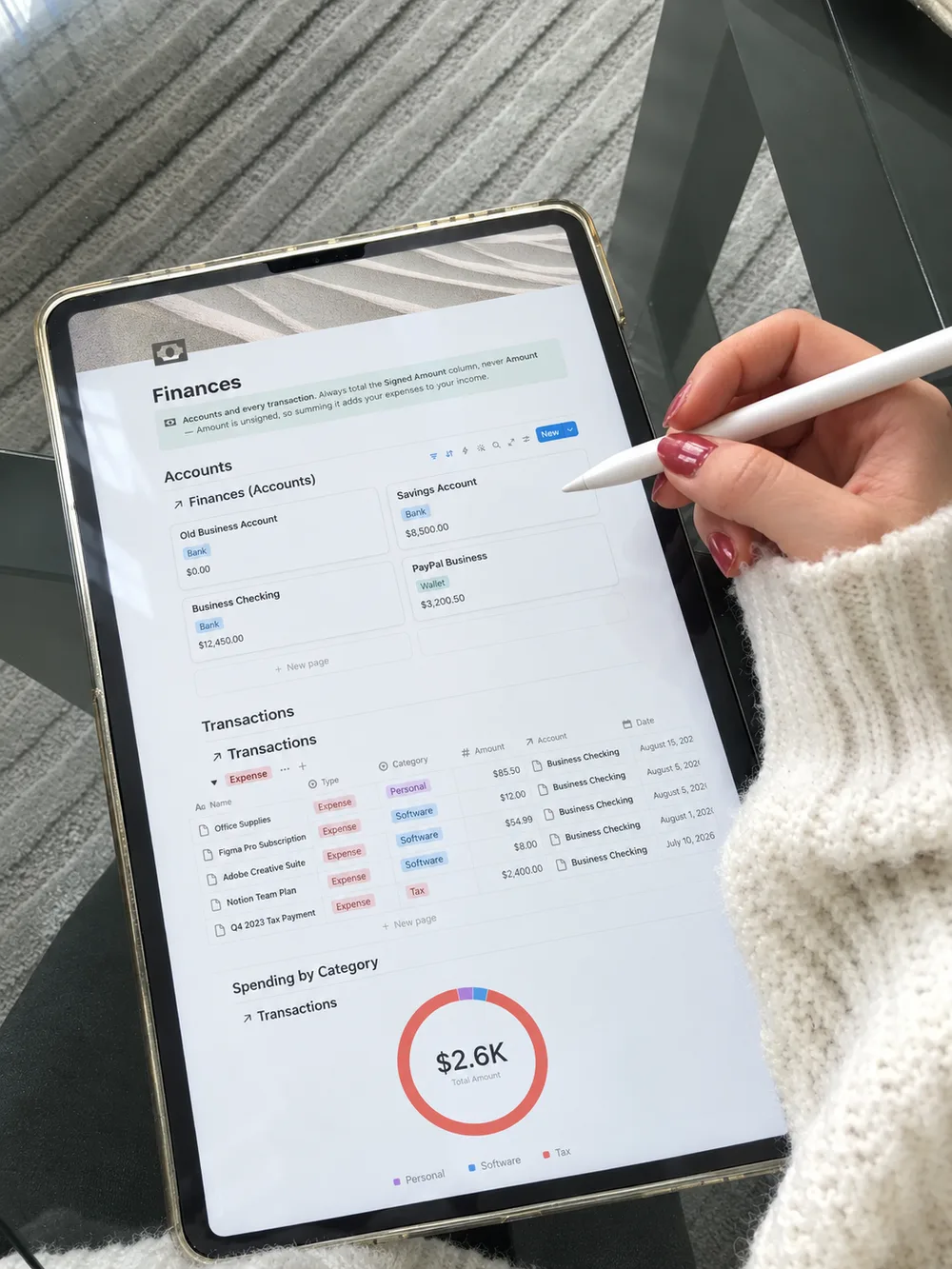
Real photos of the workspace: the CRM for freelancers, projects, time and billing, meetings and finances. Tap any image to enlarge.
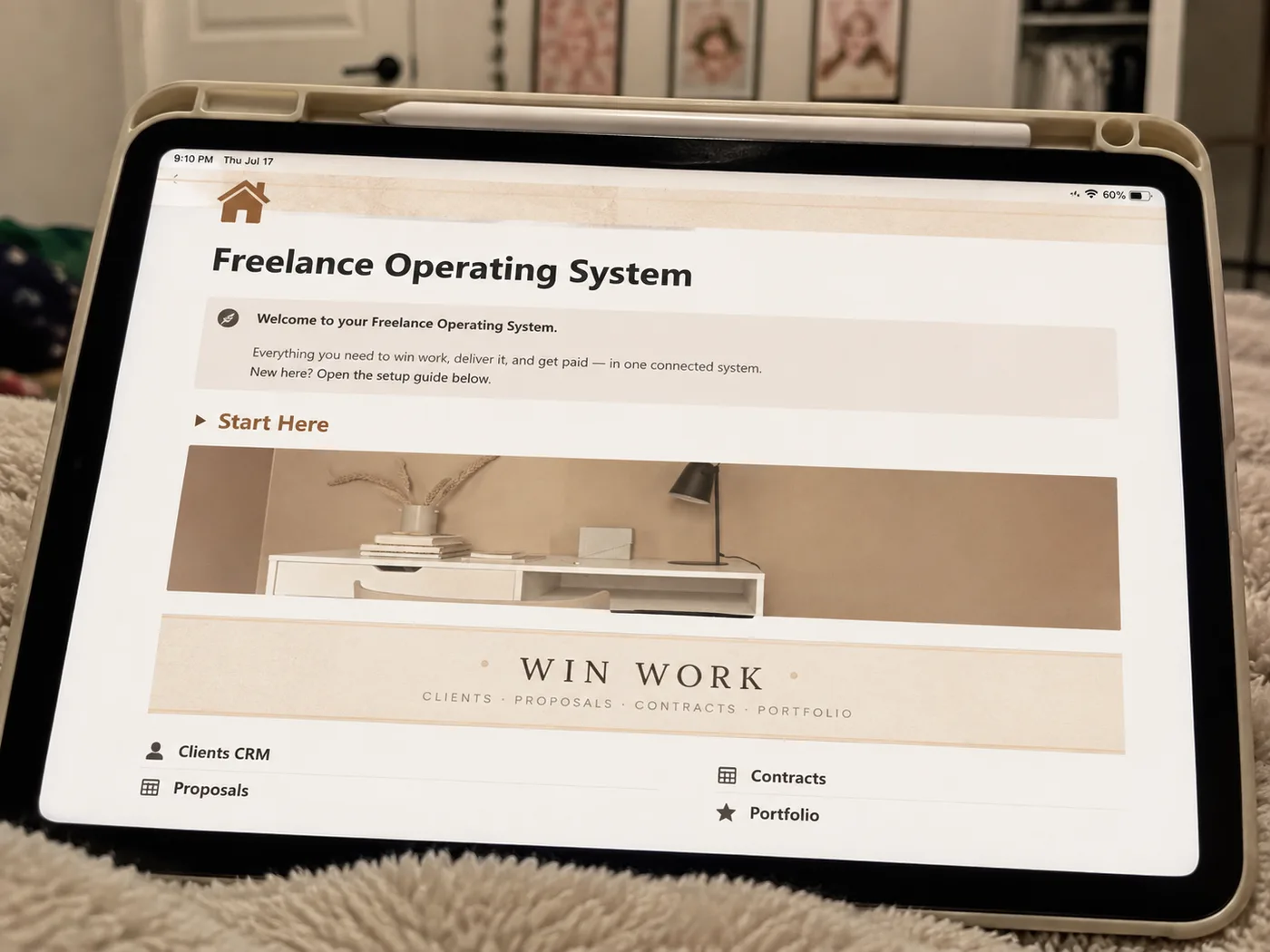
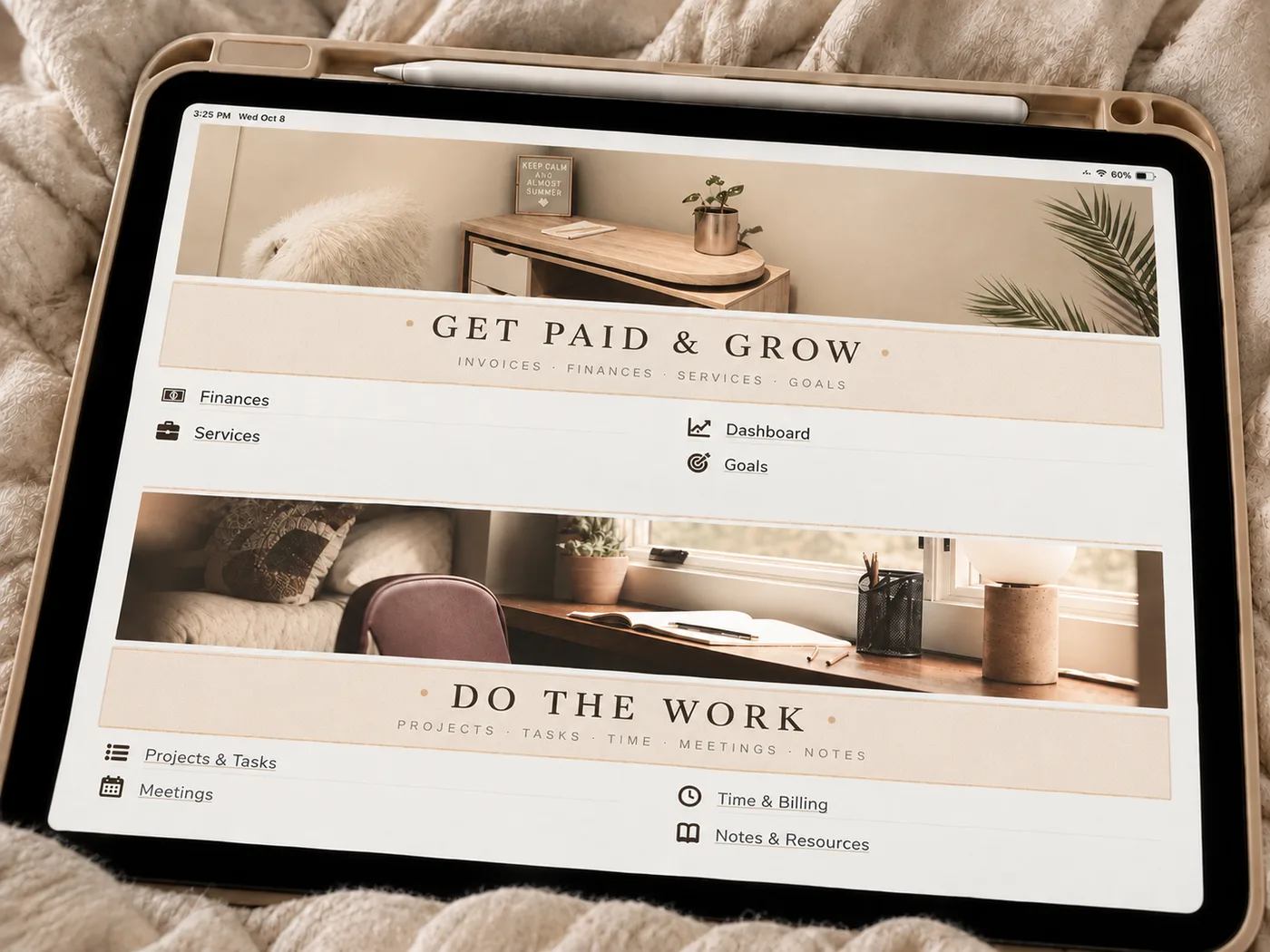
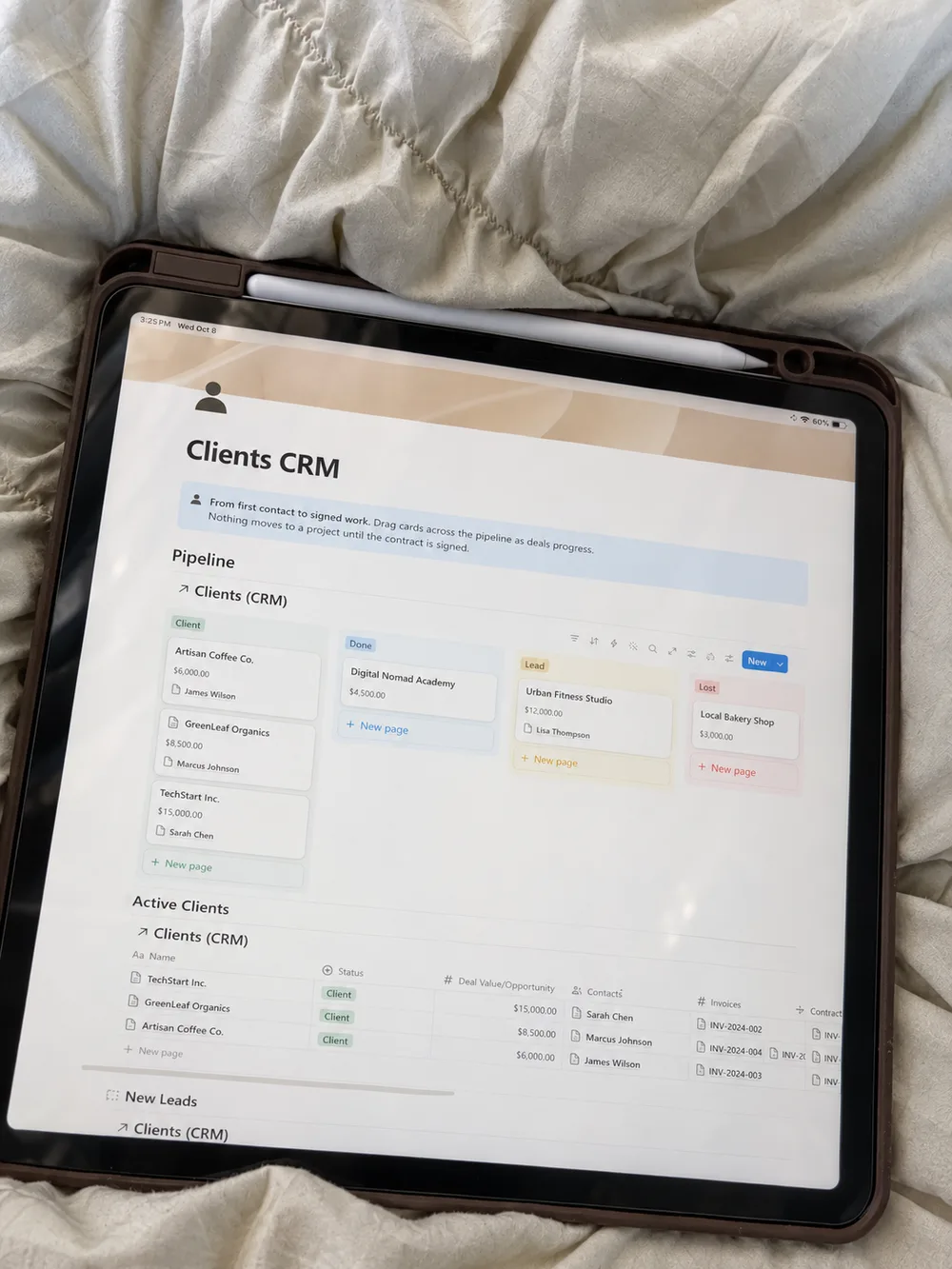
Why Freelancer Client OS
Why this is the best CRM for freelancers who work in Notion
Most freelancers piece their business together from a CRM they never open, a project tool, a spreadsheet for invoices and a calendar that knows nothing about the rest. Freelancer Client OS is a Notion template for freelancers that replaces that stack with one workspace where every part talks to the others.
Every client in one connected record
The CRM for freelancers at its core tracks each lead from first contact to signed contract. When a deal is won, the client, the project, the time you log and the invoice you send are linked, so you can open any client and see the whole relationship: what you promised, what you delivered, what is paid and what is overdue.
A CRM that lives next to your work
What makes it the best CRM for freelancers in practice is not more pipeline features. It is a CRM that lives next to your projects, time and money, instead of in a separate app you pay for monthly and forget to update.
Yours to change, easy to start
Because it is Notion, everything is yours to change. Rename a pipeline stage, add a property, build a new view. The setup guide walks you through the first hour, and sample data shows how a real freelance business looks inside the system before you add your own clients.
Not sure it is the right fit? If you only need a lightweight client tracker, start with the free Notion CRM template. When you want proposals, contracts, time tracking, invoices and finances connected to it, this is the upgrade. Running projects without clients? See Project Management Pro, or Budget Tracker Pro for money only.
Compare
CRM for freelancers: Notion system vs a monthly CRM app
Most CRM apps are built for sales teams. Here is how a Notion-based CRM for freelancers compares on the things that matter when you are a team of one.
| Compared on | Freelancer Client OSNotion system · pay once | Typical CRM appMonthly subscription |
|---|---|---|
| Price | $29.99 once, lifetime updates | $15 to $50 per month, forever |
| Projects, time and invoices | In the same workspace, linked to each client | Separate tools, separate logins |
| Customization | Any property, view or stage you want | Limited to what the app allows |
| Your data | Lives in your Notion, export any time | Locked in the vendor's platform |
| Learning curve | If you know Notion, you know this | New interface to learn and maintain |
| Built for | Freelancers and solo consultants | Sales teams with quotas |
Who it is for
Freelancers, consultants and solo creatives who manage more than a handful of clients at a time.
What you get
- Connected databases with relations and rollups already wired
- Dashboards for daily and weekly use
- Setup guide and sample data
- Free updates when the system improves
- Works on Notion’s free plan
Frequently asked questions
Everything freelancers ask before they buy Freelancer Client OS.
How do I receive the template?
After checkout you get a link to duplicate the system into your own Notion workspace. It is yours to keep and customize.
Does it work on a free Notion plan?
Yes. Every system works on Notion’s free plan. Paid Notion plans only add team features and higher limits.
How is this different from the Free Notion CRM Template?
The Free Notion CRM Template does one job well. Freelancer Client OS connects the jobs into one system with dashboards, relations and a setup guide.
Is this the best CRM for freelancers?
For freelancers who already use Notion, we think so: the CRM for freelancers here is connected to projects, time tracking, invoices and finances, so nothing has to be re-entered in a second app. If you only need a simple pipeline, the free Notion CRM template covers that at no cost.
Does a freelancer really need a CRM?
Once you have more than a handful of leads and clients, yes. A CRM for freelancers keeps every conversation, proposal and follow-up in one place, so you stop losing work to forgotten replies. The difference with Freelancer Client OS is that the CRM also knows which projects and invoices belong to each client.
Can I get a refund?
If the system does not fit your workflow, contact us within 14 days and we will sort it out.
Get Freelancer Client OS today
$29.99 once (50% off the regular $59.99). Duplicate it into your workspace in a minute and start using it the same day.